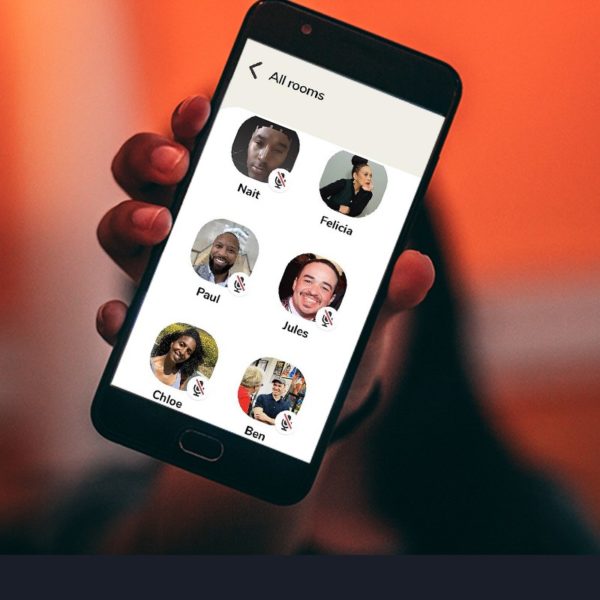
As entrepreneurs, we are always trying to keep up with the latest trends and technology. It’s not always easy but it’s very much necessary for our growth. It’s important that even if we decide not to participate in whatever the said trend is that we at least are familiar with it. With that being said, I want to introduce you to Clubhouse, the social media audio app for iOS users that is disrupting the social media industry.
Whereas most social media apps focus on our visual senses with pictures and videos, Clubhouse uses the power of voice and requires us to use our listening skills. Imagine being on a three-way call where you can either participate and talk or listen in as others discuss various topics and share wisdom. That’s Clubhouse. I thought I would write a mini tutorial to get you started because the app has lots of benefits.Â
The invite-only app allows you to connect with other iOS users all over the world in real-time in what it calls rooms. Rooms are where the conversations take place.Â
When you enter a room, you are a listener. When looking at the app, listeners are the third sections of people that you will see at the bottom. As a listener, you do not have to worry about whether your sound is on. Your role is to do just that, listen. You can also raise your hand to ask a question and go on the main stage. The hand option is at the bottom right side of your screen. Â
The main stage is the top section of the app that you will see when you first enter the room. Here is where the moderators of the conversation are located. One moderator starts the room and they can invite other moderators to the stage with them once they enter the room. I think there can be a total of nine moderators. You can tell who they are because they have a green snowflake under their profile picture.Â
Moderators have the permission to bring others on stage and to remove them. They usually lead the conversation and refresh the room from time to time to re-center the conversation and inform new listeners. Moderators also can decide if they want hand-raising off or on. If the setting is set to off, listeners are not allowed to raise their hands for questions and will receive a message saying, “Hand raising has been turned off.â€
Tip: If you are ever allowed on stage, you will receive a prompt saying you were invited as a speaker. You can either select “Maybe Later†or “Acceptâ€. If you accept, immediately mute your mic. The hand that was once at the bottom right of your screen will become a microphone that you can tap to mute yourself.
Also, read the room. Notice the speaking process and how and what past speakers said. If they are only allowing one question per speaker, ask your best, well-defined question. Don’t try to squeeze in extra questions or be all over the place. Not every room is a good place to start off with an intro that sounds like a business pitch.Â
Being on stage is a great opportunity to gain new followers, but unlike other social media apps, the real value in Clubhouse is who you follow, because those are the topics and discussions that will interest and grow you.Â
The second section in the middle of your Clubhouse screen is for the people that the moderators follow. They are basically listeners as well.Â
To exit a room, select the “Leave quietly†option.
Now when you are not in a room, you are in the hallway. The hallway is where you see all of the rooms that the app populates depending on who you follow and what interests you’ve expressed.Â
If you select a title, you will enter that room.Â
Tip: If you feel like the titles and convos happening around you don’t suit you then the problem is the people you are following.Â
Aside from rooms, there are also clubhouses. In order to start a clubhouse, you must host three rooms and apply with a form.Â
As I mentioned before, Clubhouse is an invite-only application. You can’t just sign up and get in. Someone has to allow you in and that usually is someone you know and who has you in their contacts. When an individual allows you in it is like they are vouching for you. So people don’t allow others in without consideration, they also only get so many invites that they can give to others. If you do not follow the rules of the app, both you and the individual who vouched for you can be kicked off.
If you would like to get on the app, I suggest you go in and reserve your username. It is suggested that your username be a name or handle you use across other social media networks so that you can be verified. For example, my handle on Instagram and Twitter, which the app integrates to, is @FancySwagHer, so I reserved @FancySwagHer. When signing up, the app requests your legal/government name.Â
This should be enough to get you started. Let me know how it goes in the comments.Â
Â